
If you are standing up Windows device provisioning this year, you have to choose one of two paths: classic Windows Autopilot or Windows Autopilot device preparation. Device preparation is the newer, re-architected option, and newer does not mean use it everywhere yet.
As of mid-2026, classic Windows Autopilot is still the production default for most enterprise environments. Device preparation is the simpler, faster option that wins in a narrower set of cases. The decision usually comes down to four questions, and the first three tend to settle it.
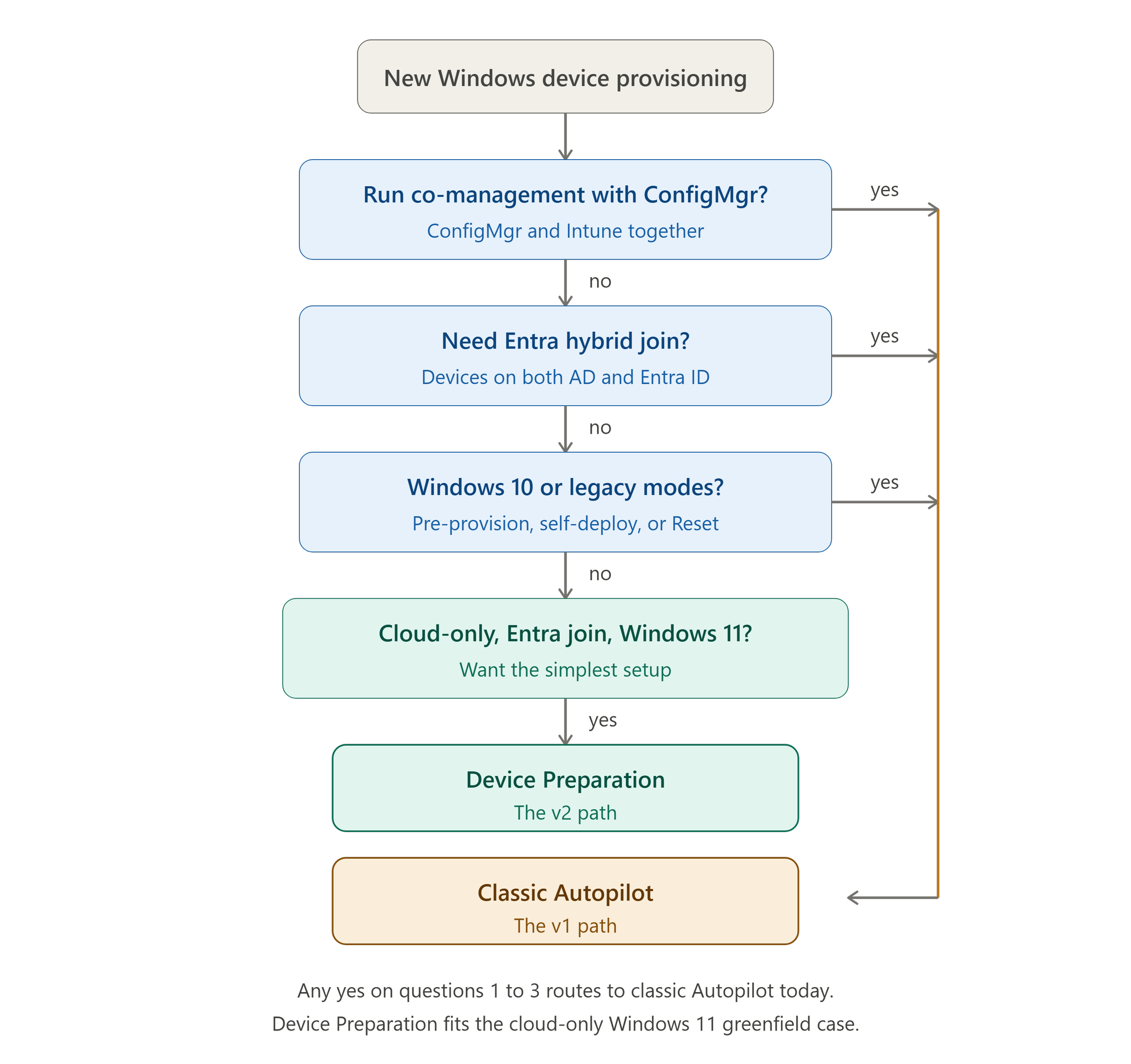
The four questions that route the decision
Work through these in order. A yes on any of the first three points to classic Autopilot today.
Do these devices need to be provisioned into co-management with Configuration Manager? If yes, choose classic Autopilot. Device preparation does not support Windows Autopilot into co-management. An organization that still uses ConfigMgr can nevertheless use device preparation for separate devices intended to be managed only by Intune.
Do you need Entra hybrid join? If yes, classic again. Device preparation is Entra join only. There is no hybrid join path in it.
Do you need pre-provisioning, self-deploying mode, or Autopilot Reset? Any of these sends you to classic. Device preparation supports only user-driven and automatic modes. Pre-provisioned, self-deploying, and existing-devices scenarios live in classic, as does Autopilot Reset.
Are you cloud-only, Entra join, Windows 11, and you want the simplest setup you can get? That is where device preparation earns its place. No hardware hash, no device registration, and a provisioning experience that is faster to stand up than classic.
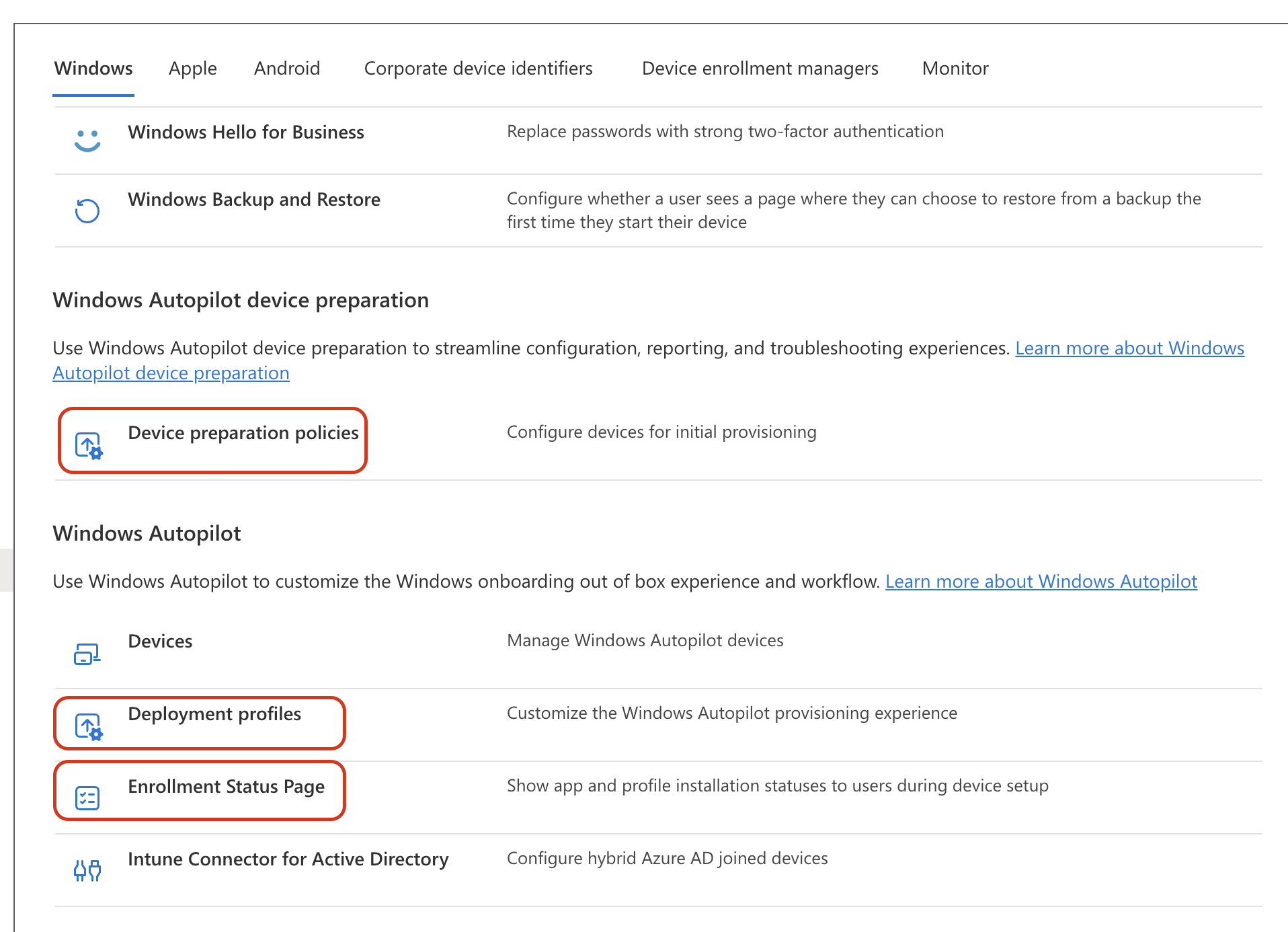
Figure 1. Intune admin center, Devices, Enrollment, Windows tab. Device preparation policies and classic Autopilot configuration tiles.
What the feature comparison actually says
The framework above is the decision. The feature table is the supporting detail, grouped by what drives the choice rather than scored row by row.
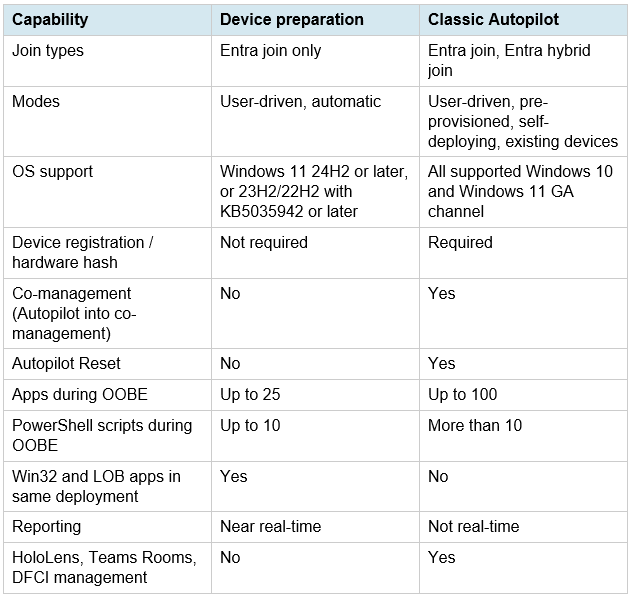
The community shorthand you will see in forums is v1 for classic and v2 for device preparation. Microsoft does not use those labels, but they tell you something true: device preparation is a redesign of the same idea, not a separate product bolted on.
What device preparation does better
No device registration, no hardware hash. That removes the part of classic Autopilot that depends on OEM cooperation or manual hash imports, which is the step that tends to stall a classic rollout when an OEM is slow to hand over hashes.
Grouping happens at enrollment time rather than through pre-staged registration. The device joins a security group that has the Intune Provisioning Client set as its owner, and that membership drives what gets installed. The progress experience is its own UI rather than the Enrollment Status Page, and reporting is near real-time instead of the lag on the classic deployment report. Device preparation also delivers Win32 and LOB apps in the same deployment, which classic cannot, and it supports GCCH and DoD environments.
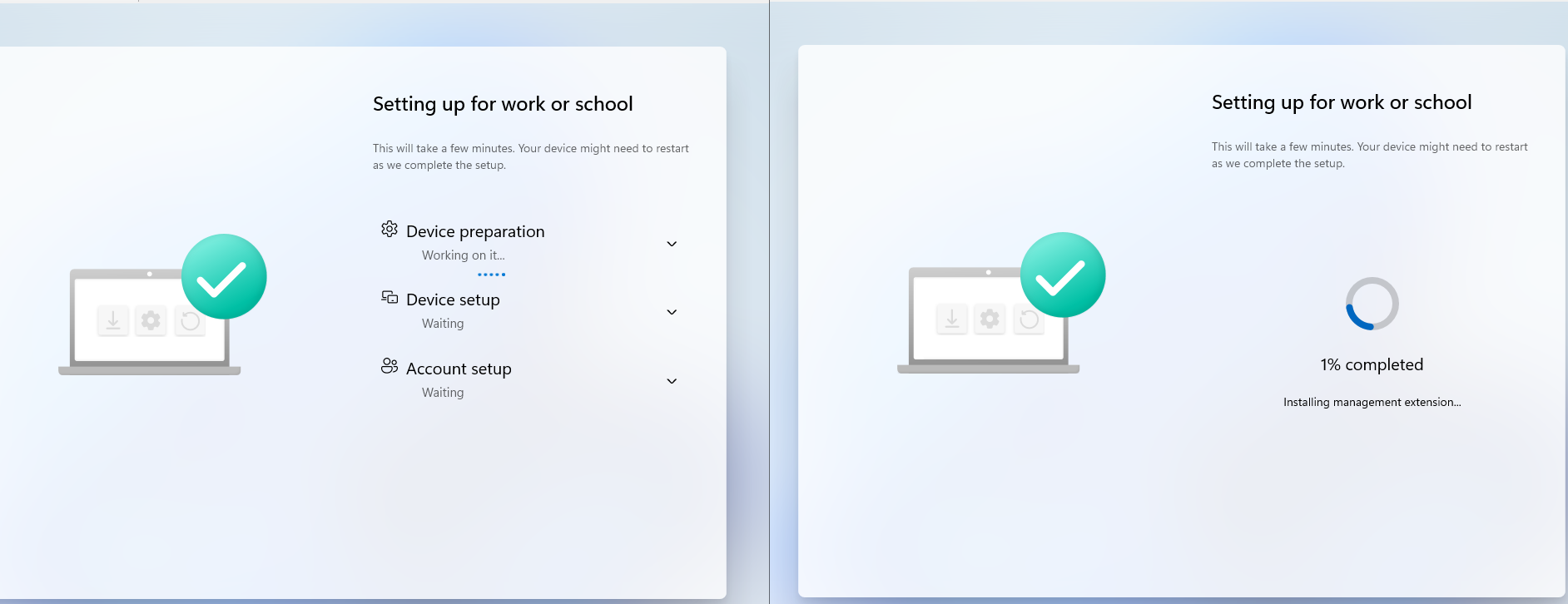
Figure 2 .Classic Autopilot Enrollment Status Page (left) vs. Windows Autopilot device preparation progress page (right).
For a cloud-only Windows 11 greenfield build, that adds up to a faster setup with fewer moving parts. The 25-app and 10-script ceilings during OOBE are real though, so a heavy first-boot payload is where you feel the limit against classic's higher counts.
The co-management reality
Here is the one that decides it for a large share of enterprise shops.
If your organization is mid-migration from Configuration Manager to Intune, co-management is not optional. It is the bridge that lets you move workloads to Intune while ConfigMgr still owns the rest. Device preparation cannot enroll a device into co-management. So for devices that need that bridge during provisioning, device preparation is removed from the table for new device provisioning, regardless of how much nicer its setup experience is.
This is not a knock on device preparation. It is a property of where a lot of organizations are right now. The ConfigMgr-to-Intune migration is a multi-year reality for many environments, and when these devices need co-management during provisioning, classic Autopilot is the path that fits.
There is also an operational reality the documentation glosses over. Co-management is not a switch you flip. For existing devices, auto-enrollment into Intune depends on a healthy ConfigMgr client that is still communicating, because ConfigMgr is what triggers the enrollment. If agent health is poor, the device never makes it into Intune. The accounts and devices also have to be synced to Entra ID for any of it to work. Switching a workload is rarely just a slider either: move the Windows Update workload to Intune, for example, and you still have to disable the software update workflow manually in the ConfigMgr client settings, or both systems fight over updates. The migration runs in waves, with workloads shifted to Intune in stages rather than all at once. That staging is why the co-management bridge stays in place far longer than the plan usually assumes.
Can you run both?
Yes, side by side in the same tenant, but each device follows one provisioning flow. When this article was written in June 2026, classic Autopilot profiles took precedence, and registered devices needed to be deregistered before using device preparation. Microsoft added device association on August 27, 2026. An associated device now follows device preparation even if it is also registered with classic Autopilot. Without device association, the earlier precedence and deregistration guidance still applies.
Verdict
Cloud-only, Entra join, Windows 11 greenfield leans device preparation. Co-management, hybrid join, or a mixed-OS fleet leans classic. Most enterprises sit closer to the second description today, which is why classic Autopilot remains the default, even though device preparation is the better experience in the narrow lane where it fits. If you want to see both enrollment flows side by side, the demo video is at the bottom of this page.
Questions about which path fits your environment are welcome. Please feel free to reach out.
Watch: Autopilot vs Device Preparation: Enrollment Experience Compared
